 Haris
Haris
Keep an eye on your Mac's health
Battery, temperature, memory and disk at a glance in your menu bar. See what fills your disk and clean up safely.
macOS 13 or later · Apple silicon and Intel · 14-day Pro trial
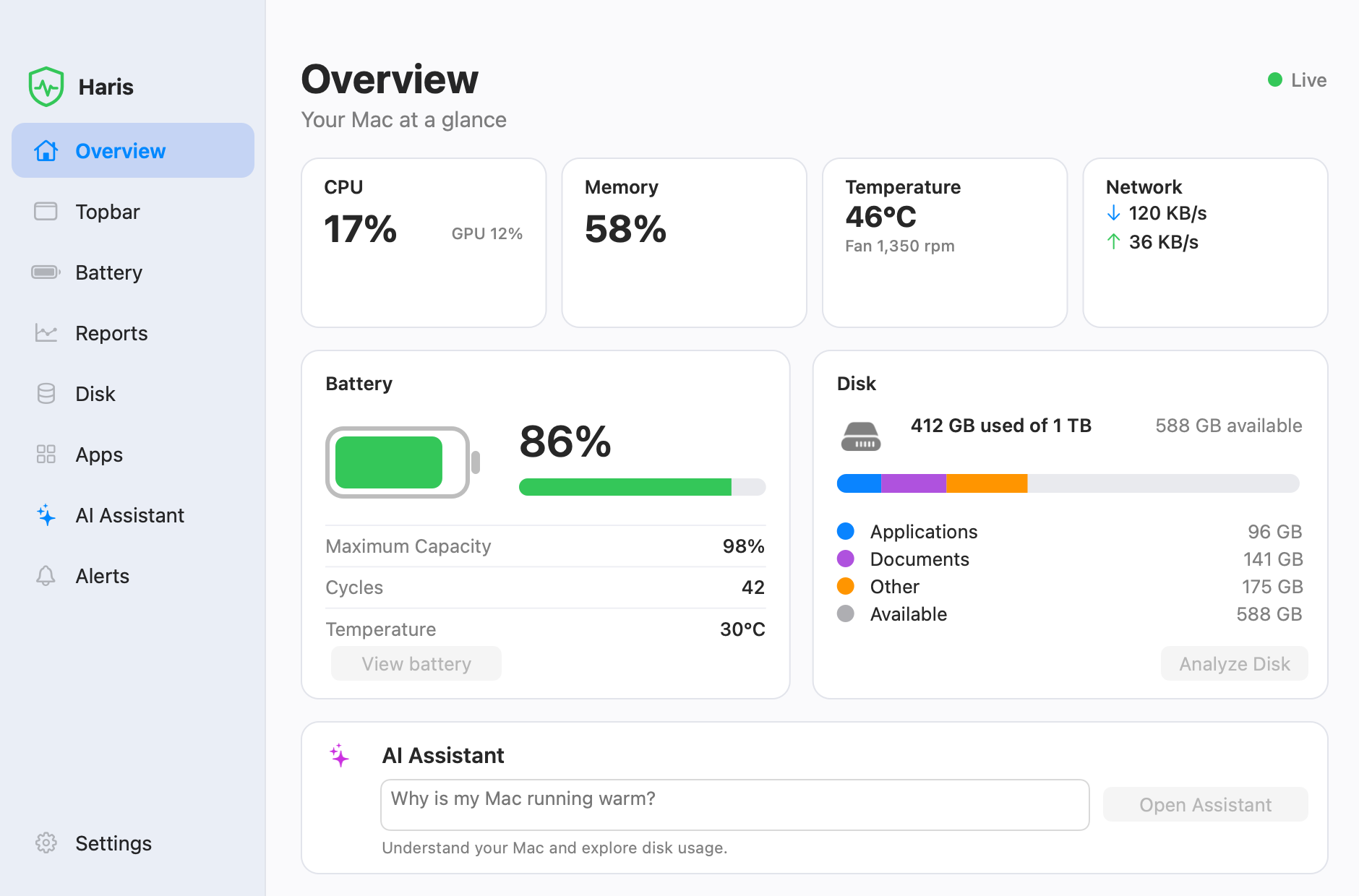
Everything about your Mac, in one place
Haris reads what macOS already knows and shows it plainly. Your readings and history are kept on your Mac.
Menu bar
CPU, memory, temperature, network and battery in your menu bar, the way you choose.
Battery health
Maximum capacity, charge cycles and temperature, and whether it's charging.
Overview
One window with CPU and GPU load, memory, temperature and fans, network and disk.
Disk Pro
See which folders fill your disk, then move what you don't need to the Trash.
Apps Pro
See how much space each app and its leftovers take, and uninstall to the Trash.
Reports Pro
Charts for today, the week or the month: CPU and memory, temperature, charge and battery health.
Alerts Pro
Choose a notification for when your Mac runs hot, your disk is nearly full, your battery runs low or the charger comes off. macOS asks you to allow notifications first.
AI Assistant Pro
Ask about your Mac in plain words, with your own Anthropic API key.
Safe by design
Haris never deletes anything permanently: it only moves items to the Trash when you allow it.
Free to use. Pro when you want more.
A 14-day Pro trial starts the first time you open Haris on your Mac. After that, the free features keep working.
Pro
- Everything in Free
- Disk, Apps and Reports
- Alerts and the AI Assistant
- One Mac at a time; move your license whenever you like
Payments are handled by Polar, which sells Haris for us.
Questions
Is Haris an antivirus?
No. Haris shows how your Mac is doing (battery, temperature, memory and disk) and helps you free up space. It doesn't scan for viruses.
Which Macs does it run on?
Any Mac with macOS 13 Ventura or later, with Apple silicon or Intel. Temperature readings come from Apple silicon sensors: On Intel Macs, temperature isn't available, so the heat alert can't fire there. Fan speed shows only on Macs that have fans.
What happens when the trial ends?
The free features keep working. Disk, Apps, Reports, Alerts and the AI Assistant wait until you buy Pro.
Does Haris send my data anywhere?
Your readings and history are kept on your Mac. Haris talks to Polar to activate or check your license, and to haris.bysamra.com to look for updates. If you use the AI Assistant with your own key, your questions go to Anthropic, together with a short system summary if you agree to share it. The privacy policy has the details.
Can Haris delete my files?
Never permanently. When you allow it, Haris moves the items you review to the Trash. Emptying the Trash is up to you.
How do I move my license to a new Mac?
On the old Mac, open Settings and choose Move License. Then enter your key on the new Mac.
How do updates work?
Haris checks for a new version about once a day and asks before installing it. Every update carries our signature, and Haris refuses one that doesn't. You can turn the daily check off in Settings.
How do I get help?
Write to support@bysamra.com. A real person answers.